Last reviewed: October 14, 2026.
ChatGPT Plus vs Free is a different decision than it was a few months ago, because OpenAI made everyday text chats unlimited on the Free plan in August 2026. The 10-messages-every-5-hours cap that used to push people to pay is gone. So the $20 Plus plan now buys depth, not volume: GPT-6 with Medium and High thinking for hard problems, a conversation window twice the size (54K tokens against 27K, which OpenAI puts at about 40 pages of input instead of 12), bigger allowances for uploads, images and deep research, projects and custom GPTs, more Codex, and no ads. When I first ran both plans side by side for two weeks in May, the message cap settled it. Today the deciding question is whether you need ChatGPT to think hard or to read long things. If you mostly ask quick questions, Free is enough. If you work with long documents, code or research every day, Plus earns its $20.
Prices are US list prices on October 14, 2026, from OpenAI’s pricing page and help center, and they vary by country. OpenAI changes plans and limits often, so check them before you subscribe. This is a buying guide, not financial advice.
What Changed in 2026: Free Text Chat Is Unlimited Now
Three changes rewrote the ChatGPT Plus vs Free question this year. Ads started showing up for free users in February, everyday text chat on Free became unlimited in August, and GPT-6 arrived for paying users on October 7. If a comparison still quotes a 10-message cap, it was written before the summer.
The unlimited part is real, but narrower than it sounds. OpenAI’s help center says Free and Go users “have unlimited everyday text chats, subject to abuse-prevention safeguards,” and that “separate limits continue to apply to file uploads, image generation, voice, data analysis, and other tools.” So typing questions no longer runs down a counter. Uploading a stack of PDFs, generating images or running deep research still hits a wall, and that wall sits lower on Free.
The model gap moved too. Paid plans now get GPT-6, which runs on a model OpenAI calls Sol, with a Thinking slider you set yourself: Plus gets Instant, Medium and High, while Pro adds Extra High and a Pro setting powered by GPT-6 Astra, OpenAI’s top model. Free and Go run on Luna, the fastest and cheapest model in the family, with a simpler Think option for harder questions. OpenAI’s pricing page now advertises “unlimited text chats with GPT-6” on Free, while its help center still names GPT-5.6 Luna as the Free and Go default, so which Luna you get depends on how far the rollout has reached your account. Either way, Free doesn’t get GPT-6’s Sol thinking levels.
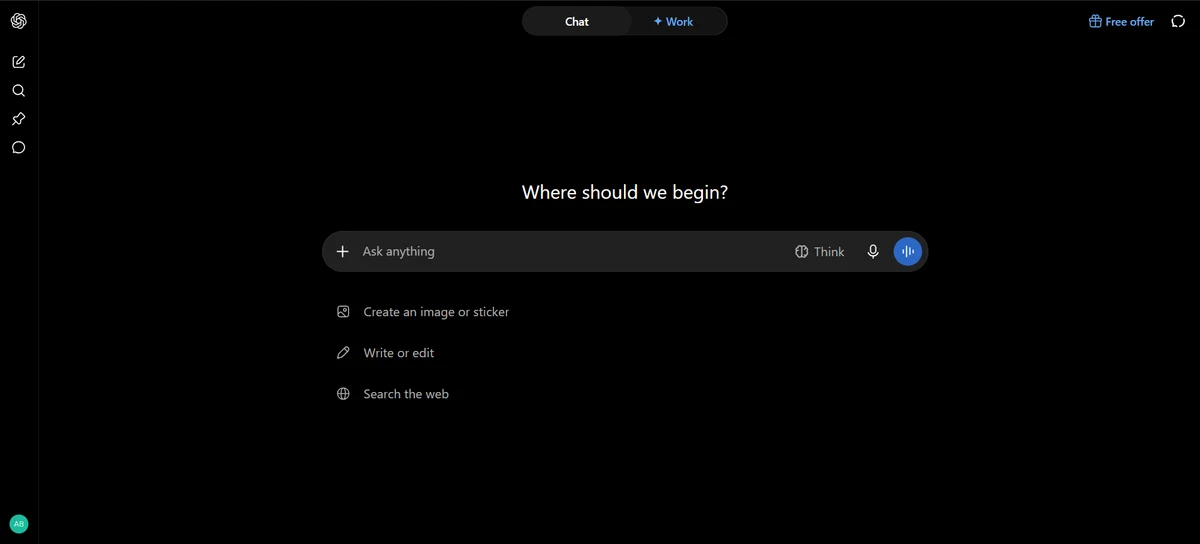
Then there are the ads. OpenAI shows ads to Free and Go users, starting with a US test in February 2026, and keeps Plus, Pro, Business and Enterprise ad-free. That makes $20 the cheapest way to get rid of them, because the $8 Go plan can still show ads.
ChatGPT Plus vs Free vs Go, Side by Side
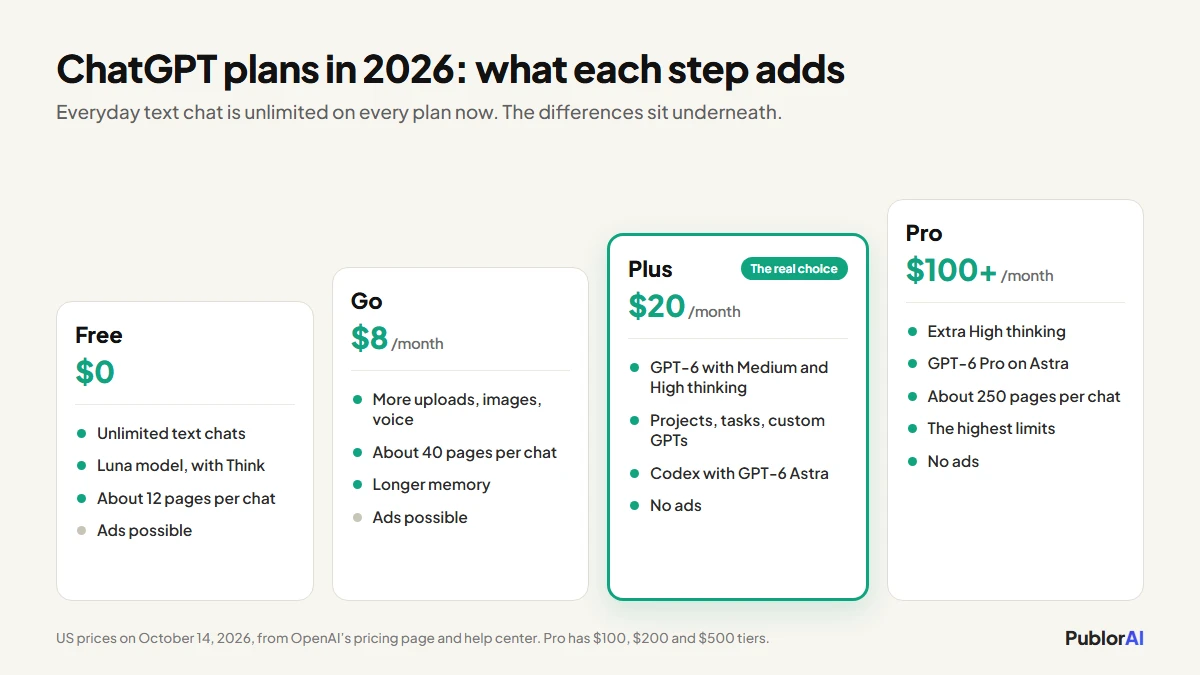
All three plans give you unlimited everyday chat now. The differences sit underneath: which model answers, how much one conversation can hold, how many uploads and images you get, and whether you see ads. Here’s how they line up on OpenAI’s own numbers.
| Free | Go | Plus | |
|---|---|---|---|
| Price (US) | $0 | $8 a month | $20 a month |
| Everyday text chats | Unlimited* | Unlimited* | Unlimited* |
| Model behind it | Luna | Luna | GPT-6 (Sol) |
| Thinking for hard questions | Think (Luna) | Think (Luna) | Medium and High |
| Conversation window (Instant) | 27K tokens, about 12 pages of input | 54K tokens, about 40 pages | 54K tokens, about 40 pages |
| Conversation window (thinking) | Varies | 256K tokens | 256K tokens |
| Uploads, image creation, voice | Limited | More | More, with expanded uploads and better images |
| Deep research | Limited | Limited | Expanded |
| Memory | Limited | Longer | Expanded |
| Projects, scheduled tasks, custom GPTs | Not listed | Not listed | Included |
| Codex and ChatGPT Work | Limited (Work on desktop only) | Limited (Work on desktop only) | Expanded, on desktop, web and mobile, with GPT-6 Astra |
| Ads | Possible | Possible | None |
| Speed at busy times | Limited by capacity | Limited by capacity | Fast |
*Subject to OpenAI’s abuse safeguards. “Not listed” means OpenAI names the feature as a Plus addition. Figures from OpenAI’s pricing page and help center on October 14, 2026.
Pro sits above all of this at $100, $200 or $500 a month (OpenAI now offers three Pro tiers), with Extra High thinking, GPT-6 Pro running on Astra, and a 128K conversation window. It’s built for people who keep ChatGPT busy for hours every day, and most readers of this guide can ignore it.
Three Ways People Use ChatGPT, and the Plan Each Needs
The plan question gets easy once you know which of these three you are. Most people are the first, a lot of working professionals are the second, and only the third really needs everything Plus adds.
1. Quick Questions, Emails and Everyday Help: Free Is Enough
If ChatGPT is where you ask quick questions, tidy up emails, plan a trip or get unstuck on a recipe, Free now covers you. Unlimited text chat means you won’t get cut off halfway through the afternoon any more, and Luna is quick at exactly this kind of short answer.
The trade-offs are smaller than they used to be: ads under some answers, slower replies at busy times (OpenAI describes Free and Go as “limited on bandwidth and availability”), and a conversation window that fills after about 12 pages of text. For a few chats a day, none of that justifies $20. If you’re just getting started, our beginner’s guide to ChatGPT covers the settings worth changing first.
2. Long Documents, Research and Uploads: This Is Where Plus Pays
If you paste long reports into ChatGPT, upload contracts or spreadsheets, or ask it to research a topic properly, Plus starts paying for itself. The Free window holds about 12 pages of input before the start of a long conversation begins to fall out of view. Plus holds about 40, and its thinking levels can work with roughly 320. Deep research, file uploads and data analysis all get bigger allowances on Plus, and GPT-6’s Medium and High settings exist for exactly this kind of multi-step work.
This is also where Go gets tempting, because for $8 it has the same 54K window as Plus and more uploads than Free. But Go keeps you on Luna, its deep research stays limited, and it can still show ads. If long documents are your only reason to pay, Go is a fair budget answer. If you need the answers about those documents to be right, Plus is the better use of the extra $12.
3. Coding, Automation and Repeat Work: Plus, Sometimes More
If you write code, automate chores or reuse the same setup every week, Plus is the minimum. It expands Codex, OpenAI’s coding agent, and includes GPT-6 Astra inside Codex and ChatGPT Work, which Free and Go don’t get. It also adds projects, scheduled tasks and custom GPTs, which OpenAI lists as Plus features, so you can keep a standing brief instead of explaining yourself from scratch every time.
The people who outgrow Plus are the ones who hit GPT-6’s thinking limits most days, or who want Astra in ordinary chats, and that’s what Pro is for. If most of your paid use would be coding, it’s worth pricing Claude Pro against Plus as well, since it costs the same $20. Our Claude plan calculator shows whether its limits fit the way you work.
Where the $8 Go Plan Fits
Go is Free with bigger allowances, not a cheaper Plus. For $8 a month you get more uploads, images and voice, longer memory and the same 54K conversation window as Plus, but you stay on Luna, you don’t get GPT-6’s thinking levels, and you can still see ads.
That makes Go a good fit for one specific person: someone who uses ChatGPT heavily for everyday tasks, keeps running into upload or image limits on Free, and doesn’t need deeper reasoning. If you’d be paying mainly to remove ads, or to get better answers on hard problems, skip Go and go straight to Plus.
Is $20 a Month Worth It? The Break-Even Math
Plus is worth $20 if it saves you about half an hour a month at a $40-an-hour rate. That’s the whole calculation. $20 a month is roughly 67 cents a day, so the only real question is whether the extra depth saves you time you’d otherwise spend re-pasting documents, re-explaining context or double-checking weak answers.
| Your time is worth | Plus pays for itself if it saves you | That’s about |
|---|---|---|
| $15 an hour | 80 minutes a month | 18 minutes a week |
| $25 an hour | 48 minutes a month | 11 minutes a week |
| $40 an hour | 30 minutes a month | 7 minutes a week |
| $75 an hour | 16 minutes a month | 4 minutes a week |
For anyone who uses ChatGPT for paid work, those numbers are low. One long document that fits in a single Plus conversation instead of three Free ones can clear the bar in a week. For someone who chats twice a day about dinner plans, they’re out of reach, and Free is the right answer.
The ads shift the math a little too. If ads under your answers bother you, $20 is the cheapest way to remove them, since Go doesn’t. And if you already pay for another AI assistant, ask whether you need a second $20 plan before adding one. Most people don’t.
Who Should Pick Which
- Stay on Free if you use ChatGPT for quick questions and everyday writing a few times a day, and the ads don’t bother you.
- Pick Go ($8) if you use it heavily for everyday tasks and keep running out of uploads or images, but don’t need deeper reasoning.
- Pay for Plus ($20) if you work with long documents, research, code or data most days, want GPT-6’s thinking levels, or just want no ads.
- Consider Pro ($100 and up) if you hit the Plus thinking limits most days or need GPT-6 Pro on Astra for very hard problems.
- Price Claude Pro first if your paid use would mostly be coding or long-form writing. Our guide to Claude’s Free, Pro and Max limits explains what the same $20 buys there.
If You Don’t Want to Pay at All
You can cover most of what Plus adds without paying, by pairing ChatGPT Free with a second free assistant for the jobs Free does worst. The trick is to use each one for its strength instead of hunting for one free tool that does everything.
- Claude Free runs Anthropic’s Sonnet and Haiku models and is strong on writing and careful reasoning, with limits that reset every few hours.
- Google Gemini has a free tier that’s handy for long documents and anything that lives in Gmail, Docs or Drive.
- Perplexity is free for cited web answers, which makes it the better pick for research where you need sources.
- DeepSeek and Grok both offer free chat, and DeepSeek’s low API prices make it popular with developers.
For a fuller list, with what each free plan actually includes, see our roundup of the best free AI tools. Whichever you use, one privacy rule holds on every plan: there are things you should never tell ChatGPT, and OpenAI can use your chats for training on Free and paid personal plans alike unless you opt out.
ChatGPT Plus vs Free: Questions People Ask
Does ChatGPT Free still have a message limit?
Not for everyday text. Since August 2026, OpenAI says Free and Go users have unlimited everyday text chats, subject to abuse safeguards. Uploads, image generation, voice, data analysis and other tools still have their own limits, and they’re lower on Free than on Plus.
Do free users get GPT-6?
Free and Go run on Luna, OpenAI’s fastest model, and OpenAI’s pricing page now describes Free text chat as GPT-6. What Free doesn’t get is GPT-6’s Sol thinking levels: Medium and High on Plus, plus Extra High and Pro on the Pro plans. For harder questions, Free and Go use a simpler Think mode that still runs on Luna.
Does ChatGPT Plus have ads?
No. OpenAI shows ads only to Free and Go users, and Plus, Pro, Business and Enterprise stay ad-free. Accounts identified as belonging to someone under 18 don’t see ads either.
Is ChatGPT Go worth $8?
It is if you use ChatGPT a lot for everyday tasks and keep running out of uploads, images or voice on Free. It isn’t if you want better reasoning or no ads, because Go stays on Luna and can still show ads. For either of those, Plus is the plan.
Can I cancel ChatGPT Plus anytime?
Yes. Plus is billed monthly, and you cancel wherever you subscribed: ChatGPT on the web, Apple or Google Play. You keep Plus until the end of the period you’ve paid for, and your chats stay on your account if you drop back to Free.
What I’d Do
If I were deciding today, I’d start on Free and pay attention to the first time it lets me down. It won’t be a message limit any more. It’ll be a document that doesn’t fit, a hard question that comes back shallow, or an ad I’m tired of scrolling past. If that happens twice in the same week, Plus is worth the $20. If it never happens, keep the money.
That’s the real shift in the ChatGPT Plus vs Free decision this year. Free stopped rationing your questions, so Plus has to earn its price on depth, and for most people who use ChatGPT for work every day, it still does. And if ChatGPT stalls instead of answering, the fix is usually the same on every plan. Our guide to ChatGPT not responding walks through it.