AI in everyday life is no longer a futuristic concept. As of May 2026, you’re using AI dozens of times a day without realizing it. The 15 examples in this guide are the real ones, not the hyped ones. I built this list after two years of paying attention to which technology I actually rely on, and the answer surprised me: AI is most often invisible, quietly running in the background of phones, wallets, homes, and commutes. You probably use AI within 30 seconds of waking up (Face ID) and within 2 minutes of opening any app (autocomplete, spam filters, recommendation engines). By the end of this guide you’ll see your day differently. Every list item includes the specific AI doing the work and why you don’t notice it. None of this requires being technical to understand. Curious how AI works behind the scenes of these examples? Our explainer walks through the mechanism step by step.
The Quick Stats (Most People Are Surprised)
A 2026 McKinsey survey on AI found that 66% of people worldwide now use AI regularly, but most of them don’t know they do. The everyday AI most people miss isn’t ChatGPT or Claude. It’s the invisible AI running in apps and devices you already paid for and use daily.
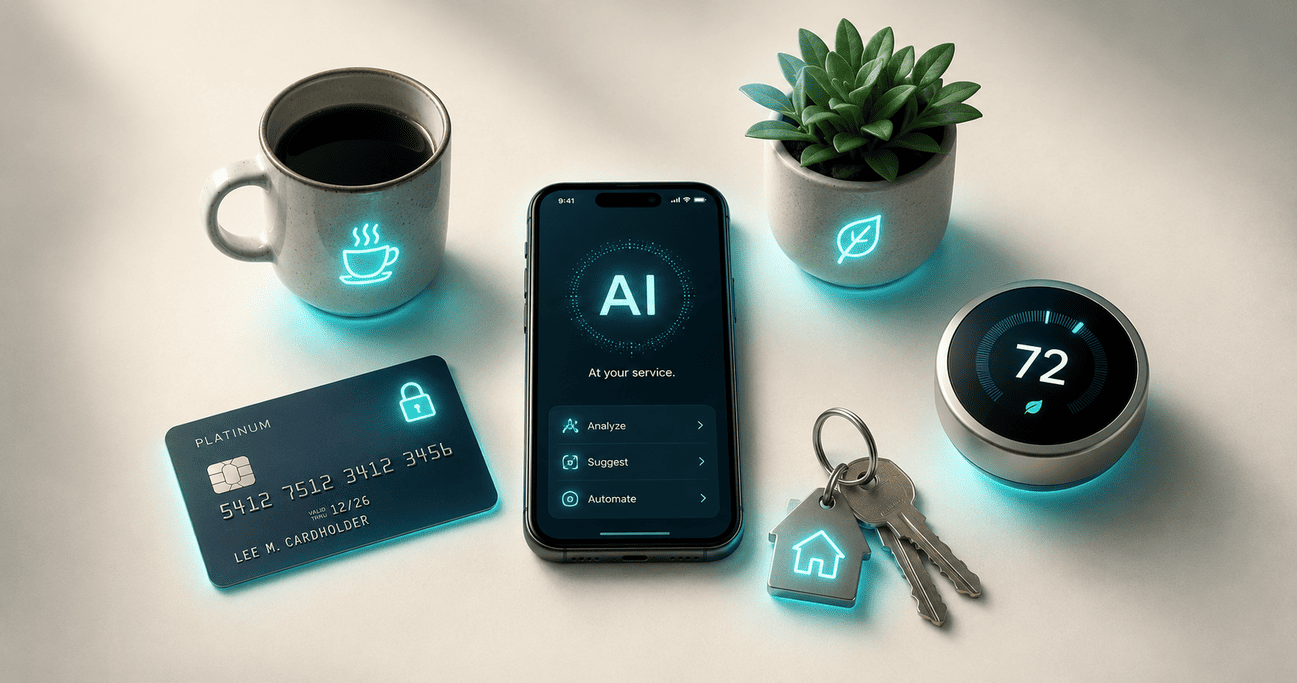
The reason it’s invisible: AI doesn’t show up as a chatbot icon anymore. It’s baked into Face ID, into your bank’s fraud detection, into the email folder that catches spam, into the navigation app that picks your route. The 15 examples below are the ones that touch your life most days, organized by where they live.
AI in Your Phone (Examples 1–5)
Your phone is the densest collection of AI in everyday life. Modern smartphones run multiple AI models simultaneously, often on the device itself without sending anything to the cloud.
1. Face ID and Fingerprint Unlock
Every time you unlock your phone with your face or fingerprint, a deep learning model scans your biometric pattern and matches it against a stored encrypted version in under 200 milliseconds. Face ID specifically uses a 3D depth map plus neural network analysis to handle aging, glasses, masks, and lighting changes. The first AI most people use every morning.
2. Keyboard Autocorrect and Predictive Text
The next word your phone suggests as you type is a real-time AI prediction based on your typing patterns, your contacts’ names, and the context of the message. iOS and Android both moved this to on-device AI in 2026, which means your typing data stays on your phone instead of going to a server. Apple Intelligence in particular runs all of this locally.
3. Photo Organization and Smart Search
When you search “beach” in Google Photos and it finds every beach photo from the last 10 years, that’s deep learning doing object recognition on every image you’ve ever taken. Same for “Mom,” “dog,” “sunset.” Your phone has quietly classified hundreds of thousands of objects, faces, and scenes in your photo library without telling you.
4. Voice Assistants (Siri, Alexa, Google Assistant)
Saying “Hey Siri, set a timer for 10 minutes” runs three separate AI models in sequence: wake-word detection (always listening locally), speech-to-text transcription, and natural language understanding to figure out you want a timer not a calendar event. In 2026 most of this happens on-device for speed and privacy.
5. Apple Intelligence and On-Device AI (New in 2026)
The biggest shift in 2026: a 7-billion-parameter language model can now run entirely on your phone without an internet connection. Apple Intelligence, Google’s Gemini Nano, and Samsung’s Galaxy AI all use this approach for features like writing suggestions, summary generation, and Genmoji. You’re using a real AI model offline without realizing it.
AI in Your Money and Daily Decisions (Examples 6–10)
The AI you can’t see is often working hardest in the background of your financial life. This is the AI in everyday life that runs decisions affecting you without ever showing a user interface.
6. Credit Card Fraud Detection
Every transaction you make is scored by a machine learning model in milliseconds against your spending pattern, the merchant’s history, the location, the device, and dozens of other signals. If something looks unusual (a purchase in a country you’ve never visited, an amount way outside your norms), the model flags or blocks it instantly. Visa and Mastercard process billions of these decisions a day. Most people never see the AI working unless it gets the decision wrong.
7. Email Spam Filtering
Gmail’s spam folder catches roughly 99.9% of unwanted email. That’s a machine learning model trained on billions of examples, looking at sender reputation, header anomalies, content patterns, and link analysis. Outlook and Apple Mail use similar systems. The AI here is invisible by design: you only notice it when it makes a mistake and you find a real email in spam.
8. Bank Chatbots and Customer Service
When you message your bank’s app for a balance question or a transaction dispute, an AI chatbot likely handles the first 1–3 interactions before passing you to a human only if needed. These bots have gotten dramatically better since 2024 because they’re built on large language models like the ones covered in our Claude vs ChatGPT 2026 comparison.
9. Investment Robo-Advisors
If you use Betterment, Wealthfront, or a similar service, an AI is rebalancing your portfolio, tax-loss harvesting, and adjusting allocations based on market conditions. These services manage over $500 billion in assets globally as of 2026, and the underlying logic is machine learning models trained on decades of market data.
10. Loan and Mortgage Approval Algorithms
The decision on whether you get approved for a credit card, car loan, or mortgage runs through machine learning models that look at hundreds of data points beyond the obvious credit score. This is one of the more controversial uses of AI in everyday life because the models can be opaque, but they’re how most lending decisions get made in 2026.
AI in Your Home, Car, and Recommendations (Examples 11–15)
The last category is the AI in everyday life most people would actually name if asked to think of examples. These are the visible ones, but even here, the actual mechanism is more sophisticated than people realize.
11. Google Maps Traffic and Route Prediction
Google Maps doesn’t just show you current traffic. It predicts traffic 30, 60, and 120 minutes ahead by running real-time data from millions of users through deep learning models. The “ETA” you see is an AI prediction that updates every few seconds based on what other drivers are experiencing right now.
12. Netflix and Spotify Recommendations
Netflix’s “Because you watched X” rows are powered by a multi-layered AI system that looks at your watch history, what similar viewers liked, time of day patterns, and dozens of other signals. Spotify’s Discover Weekly does the same for music. About 80% of what Netflix viewers watch comes from recommendations rather than search.
13. Smart Thermostats (Nest, Ecobee)
A Nest thermostat learns your schedule and preferences over the first few weeks, then auto-adjusts to save energy when you’re out and bring the temperature to your liking before you get home. The underlying AI is a reinforcement learning model that gets better the more it observes your patterns.
14. Robot Vacuums (Roomba, Roborock)
Modern robot vacuums use computer vision and SLAM (simultaneous localization and mapping) to build a map of your home, avoid obstacles, recognize specific rooms, and choose efficient cleaning paths. MIT Technology Review’s AI coverage tracks how fast this category is moving. The 2026 generation can identify a sock from a phone cable and clean around it. All AI, all running on the device itself.
15. Real-Time Language Translation
Google Translate, Apple Translate, and DeepL can now translate text from a photo or live conversation with near-human accuracy for major languages. The underlying tech is the same neural machine translation that powers ChatGPT and Claude, just specialized for translation. Try pointing your camera at a foreign menu and watch the text translate live: that’s a deep learning model running in real time.
Why You Don’t Notice AI in Everyday Life
The pattern I noticed across all 15 examples is the same: good AI is invisible AI. When fraud detection blocks a stolen card transaction in 50 milliseconds, you don’t see the AI work. When Spotify queues up a song you didn’t know you’d love, you don’t think about the recommendation engine. AI in everyday life feels like “the app just knows” rather than “an AI made that decision.”
This invisibility is intentional. Product designers learned that users distrust AI when it announces itself (“Our AI thinks you’d like…”). Users trust the same AI when it just works. So the AI behind your daily life is hidden by design, surfacing only when it fails or when you go looking for it.
Once you know what to look for, the volume is staggering. The average American interacts with 30–50 AI-powered systems per day without thinking of any of them as “AI.” If you want to understand the underlying technology that powers all of this, our AI vs machine learning vs deep learning explainer breaks down what’s actually happening under the hood.
What Counts as AI vs Just Software?
The line gets blurry. A calculator app isn’t AI even though it does math. An old spam filter using hand-coded rules isn’t really AI either. So what’s the difference?
| System | Is It AI? | Why |
|---|---|---|
| Calculator app | No | Follows fixed math rules, no learning |
| Email scheduling | No | Rule-based timing, no adaptation |
| Face ID | Yes | Neural network trained on faces, adapts over time |
| Netflix recommendations | Yes | Machine learning model, learns from viewing patterns |
| Smart thermostat | Yes | Reinforcement learning, adapts to your schedule |
| Google Maps ETA | Yes | Deep learning prediction model on real-time data |
| Old GPS routing | No | Pre-computed shortest path, no learning |
The rough test: if the system gets better over time without anyone manually programming new rules, it’s AI. If it does the same thing the same way every time, it’s regular software. For more on this distinction, see our guide on what artificial intelligence actually is.
Frequently Asked Questions
How many times a day do I use AI in everyday life?
Most people interact with AI 30–50 times a day without realizing it. Unlocking your phone, checking email, getting navigation, getting recommendations, and processing any financial transaction all involve AI. If you use a smartphone for more than an hour a day, you’re easily in that range.
Is using AI in daily life safe?
For the most part, yes. The everyday AI in fraud detection, spam filtering, and navigation is mature, well-tested, and serves users’ interests. The bigger concerns sit in areas like loan algorithms and content moderation where the AI’s decisions affect people’s lives directly. As of 2026, regulators are starting to require more transparency in those high-stakes areas.
What’s the most useful AI in everyday life right now?
It depends on your routine, but the consistent winners are: real-time fraud detection (saves you money), navigation prediction (saves time), spam filtering (saves attention), and recommendation engines (save discovery time). The least visible AI is often the most valuable.
Will AI in everyday life keep growing?
Yes. The 2026 trend is on-device AI replacing cloud AI for everyday tasks, which means more AI in more apps with less waiting and better privacy. Expect AI to show up in places it isn’t today (real-time captions everywhere, automatic photo and video editing, more autonomous home devices) over the next 2–3 years.
How do I know if a feature is using AI or just regular code?
The simplest test: does the feature get better the more you use it, or does it learn your preferences? If yes, that’s AI. If it does the same thing the same way every time regardless of usage, it’s regular software. Your iPhone keyboard learns your typing patterns (AI). A flashlight app does not (not AI).
Are there places where AI shouldn’t be used?
That’s an active debate in 2026. Most experts agree AI should not be the sole decider in high-stakes situations like criminal sentencing, medical diagnosis, or hiring without a human review. Lower-stakes everyday uses like Spotify recommendations or spam filtering are widely seen as fine because the worst-case error is small.
Final Thoughts: AI in Everyday Life Is Mostly Quiet
If there’s one thing I want you to take from this guide, it’s that AI in everyday life isn’t loud and futuristic. It’s quiet and useful. The 15 examples above are the AI that actually matters to most people on most days, and the pattern is consistent: AI works best when it disappears into the experience.
The next time someone tells you AI isn’t real yet, point them at their phone. They unlocked it with AI, typed with AI, got directions with AI, and bought lunch with AI deciding whether the transaction was legitimate. All before noon, all without thinking about any of it as artificial intelligence. That’s AI in everyday life in 2026: invisible, useful, and already everywhere.
If you want to go deeper, our guide to AI agents covers the next wave of AI that won’t be invisible: software that actually does things for you across apps. And our guide on how to write better AI prompts covers how to get more out of the AI tools you actively use, like ChatGPT and Claude.