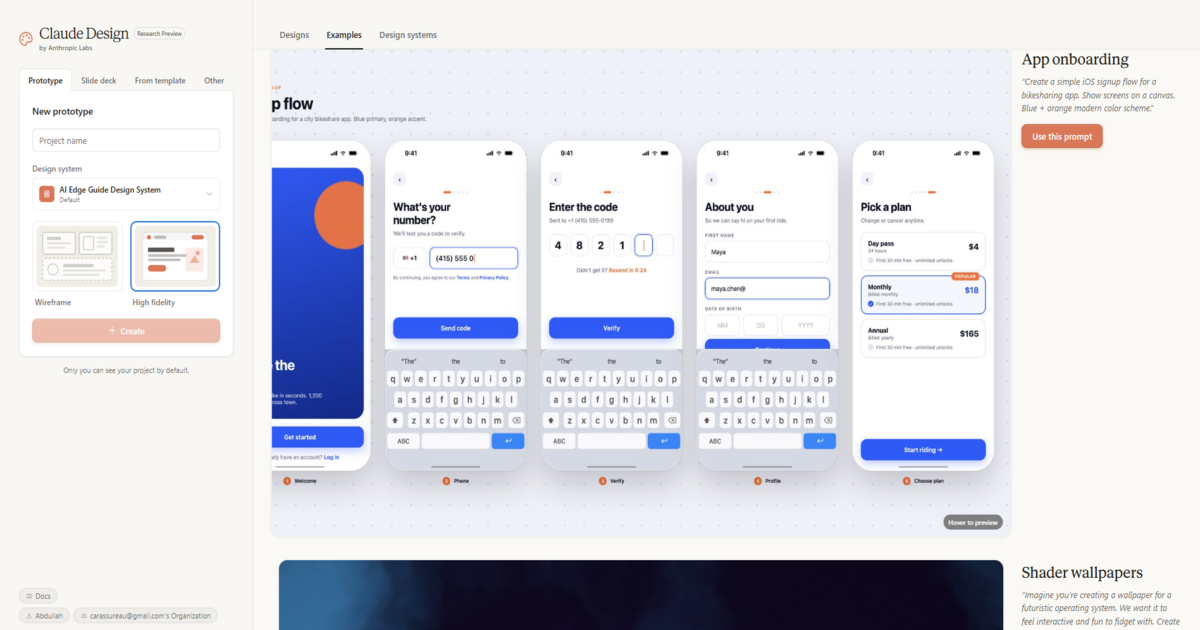
If you’ve been seeing Claude Design mentioned everywhere and wondering what it actually is you’re in the right place. Launched by Anthropic on April 17, 2026, Claude Design is a brand new AI tool that lets anyone create prototypes, presentation decks, mockups, and marketing materials simply by describing what they want in plain text. No design skills required.
In this guide, we explain exactly what is Claude Design, what you can build with it, who it’s for, how it compares to tools like Figma and Canva, and how to get started today.
What Is Claude Design?
Claude Design is a new experimental AI product from Anthropic the company behind the Claude AI model. It lets users create visual designs through a conversational interface: you describe what you want, Claude generates a design on a canvas, and you refine it through further prompts or direct editing.
Think of it as a design tool where your words are the mouse. Instead of dragging elements around a canvas, you type and Claude builds the visual for you.
It launched just days after Anthropic’s Chief Product Officer Mike Krieger stepped down from Figma’s board a move that signalled Anthropic was entering the design space directly.
“Claude Design is intended to help people like founders and product managers without a design background share their ideas more easily.” – Anthropic
Key Features of Claude Design
1. Text-to-Design Generation
Describe what you want and Claude generates a complete visual design. You can start from a text prompt, an uploaded document (DOCX, PPTX, XLSX), a codebase reference, or even a web capture. The initial design appears on a canvas that you can then refine.
2. Design System Integration
This is the standout feature for teams. Claude Design can read your company’s codebase and design files, then automatically apply your brand’s colours, typography, and components to every project it creates. This means every output stays on-brand without manual adjustments.
3. Fine-Grained Editing
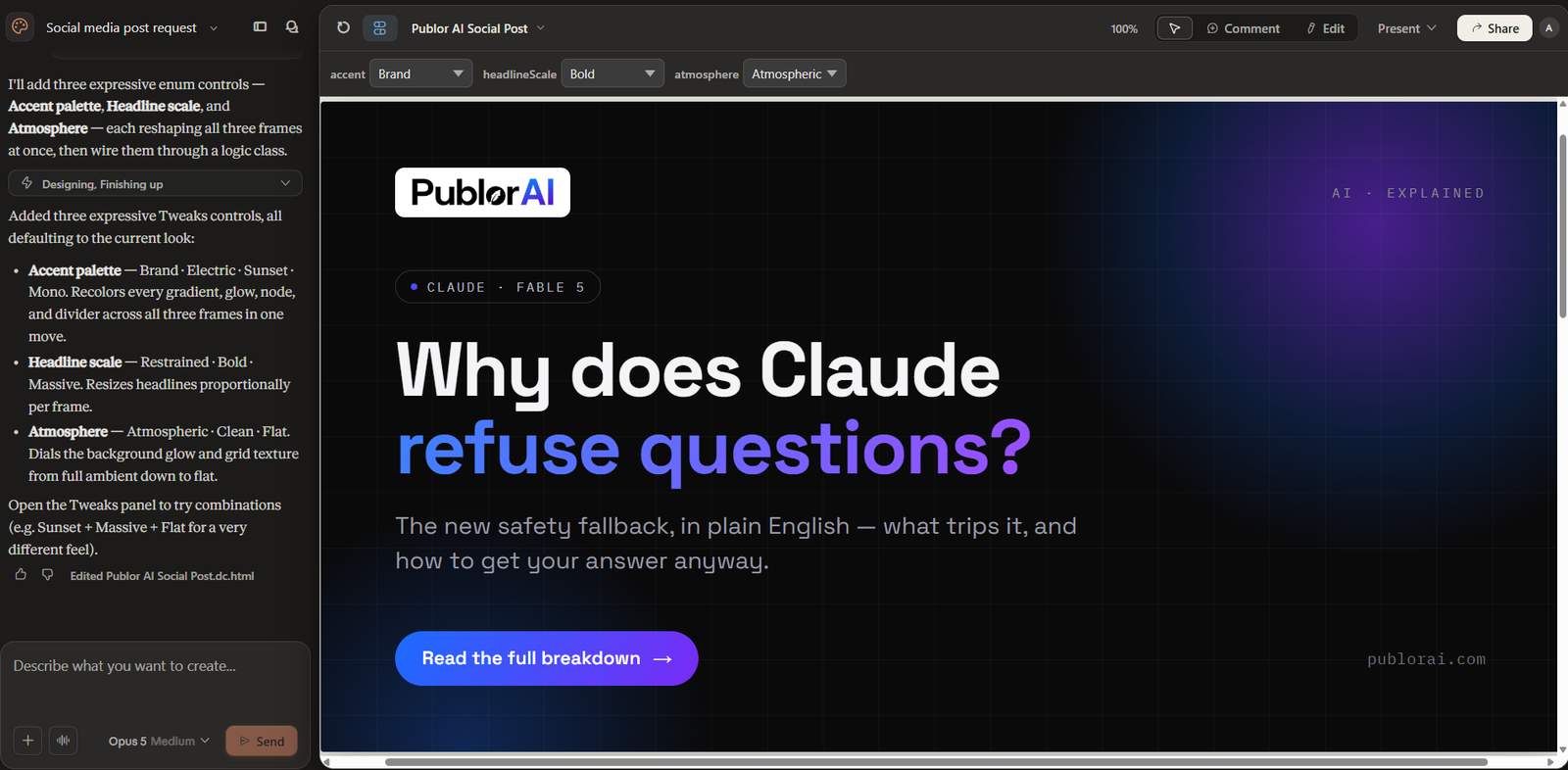
Once Claude generates a design, you’re not locked in. You can:
- Edit text directly inline
- Leave comments and ask Claude to adjust specific elements
- Use adjustment sliders for spacing, colour, and layout
- Switch between light and dark mode variants
4. Interactive Prototyping
Static mockups can be converted into shareable interactive prototypes. This means you can click through screens and simulate the user experience without writing a single line of code.
5. Claude Code Handoff
When your design is ready to build, Claude Design packages everything into a handoff bundle that passes directly to Claude Code. This creates a closed loop: idea → prototype → production code, all within Anthropic’s ecosystem.
6. Collaboration and Sharing
Designs can be shared within your organisation with view-only or edit access. Teams can maintain multiple design systems and work on projects together.
7. Multiple Export Options
When you’re ready to export, Claude Design supports:
- PDF and PPTX files
- Standalone HTML files
- Internal organisation URLs
- Direct export to Canva for further editing
- Folder saves
What Can You Build With Claude Design?
Claude Design covers a wide range of visual output types:
| What You Can Build | Best For |
|---|---|
| Mobile app prototypes | Product managers, startup founders |
| Presentation decks and pitch decks | Founders, sales teams, marketers |
| One-page documents and briefs | Anyone communicating an idea quickly |
| Website wireframes and mockups | Designers, developers, product teams |
| Marketing collateral | Marketing teams, freelancers |
| Interactive prototypes | UX/UI designers, product teams |
Who Is Claude Design For?
Anthropic has been clear about the target audience this tool is primarily for non-designers who need to visualise and communicate ideas quickly:
- Founders: build pitch decks and product mockups without hiring a designer
- Product managers: create wireframes and prototypes to communicate product direction
- Marketers: produce campaign visuals and one-pagers at speed
- Designers: explore multiple directions quickly before refining in a dedicated tool
- Freelancers: deliver client mockups and presentations faster
If you’re a professional designer who lives in Figma, Claude Design is a complement not a replacement. If you’re a founder who’s been paying a designer $500 to mock up a slide deck, this changes things significantly.
Pricing and Availability
Claude Design launched on April 17, 2026 as a research preview meaning it’s available now but still being actively developed.
| Plan | Access |
|---|---|
| Claude Free | Not available |
| Claude Pro | ✓ Included |
| Claude Max | ✓ Included |
| Claude Team | ✓ Included |
| Claude Enterprise | ✓ Included (off by default admin must enable) |
Claude Design is powered by Claude Opus 4.7, Anthropic’s most capable vision model. Read our full Claude Opus 4.7 review for a complete benchmark breakdown. Usage counts toward your subscription limits, with optional extra usage available if you exceed them.
You can access it at claude.ai/design.
Claude Design vs Figma vs Canva
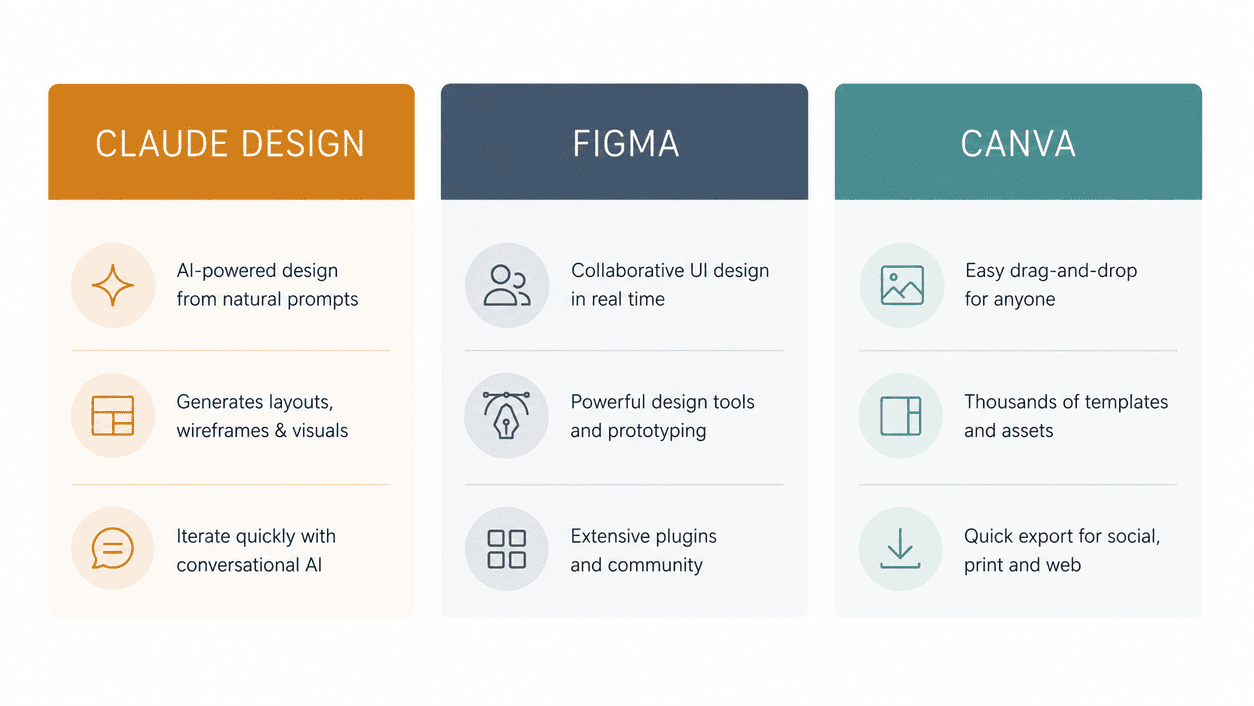
How does Claude Design stack up against the established players? For a deeper head-to-head, see our full Claude Design vs Figma comparison where we test both on real design jobs.
| Feature | Claude Design | Figma | Canva |
|---|---|---|---|
| Input method | Text prompt / conversational | Manual drag and drop | Templates + drag and drop |
| Design skill needed | None | High | Low |
| Prototyping | ✓ Interactive | ✓ Advanced | ✗ Limited |
| Code handoff | ✓ Claude Code integration | ✓ Dev Mode | ✗ |
| Design system support | ✓ Auto-applies from codebase | ✓ Manual setup | ✗ |
| Free plan | ✗ | ✓ Limited | ✓ Generous |
| Best for | Non-designers, speed, prototyping | Professional UI/UX design | Marketing graphics, social media |
The honest verdict: Claude Design is not trying to kill Figma. Anthropic even positions it as complementary to Canva once you export to Canva, the design becomes fully editable and collaborative. It’s filling a gap between “I have an idea” and “I have a professional design ready to build.”
Pros and Cons
Pros:
- Zero design skill required anyone can use it
- Extremely fast prototype in minutes, not hours
- Design system integration is genuinely powerful for teams
- Seamless Claude Code handoff closes the design-to-development gap
- Multiple export formats including Canva and PPTX
- Powered by Claude Opus 4.7 the most capable model available
Cons:
- Not available on the free plan requires Pro ($20/month) or higher
- Still in research preview expect bugs and limitations
- Not a replacement for Figma for professional UI/UX work
- No standalone pricing only bundled with Claude subscriptions
- Enterprise access is disabled by default admin action required
How to Get Started With Claude Design
- Make sure you have a Claude Pro, Max, Team, or Enterprise subscription
- Go to claude.ai/design
- Start a new project and describe what you want to create
- Claude generates an initial design on the canvas
- Refine by typing further instructions or editing directly
- Export as PDF, PPTX, HTML, or send to Canva when ready
Frequently Asked Questions
Is Claude Design free?
No Claude Design requires a paid subscription (Claude Pro at $20/month or higher). It is not available on the free Claude plan.
How is Claude Design different from just asking Claude to describe a design?
Claude Design gives you an actual visual canvas not a text description. The output is a rendered, editable design you can export and share, not words describing what a design could look like.
Can I use Claude Design for client work?
Yes. You can export designs as PDFs, PPTX files, or HTML and share them with clients. The Canva export option is particularly useful as it lets clients continue editing in a tool they may already know.
Does Claude Design replace Figma?
No Anthropic positions it as a complementary tool, not a Figma competitor. It excels at speed and accessibility for non-designers. Figma still wins for advanced UI/UX work, component libraries, and developer collaboration.
Is Claude Design available worldwide?
It launched as a gradual rollout on April 17, 2026. Availability may vary by region in the early research preview period. Check claude.ai/design to see if it’s active for your account.
What model powers Claude Design?
Claude Design is powered by Claude Opus 4.7 Anthropic’s most capable vision model as of April 2026.
Final Thoughts
Claude Design is one of the most interesting AI tool launches of 2026. It solves a real problem the gap between having an idea and having a design and it does it in a way that requires zero prior design experience.
For founders, product managers, and marketers, this is genuinely useful right now. For professional designers, it’s worth experimenting with for rapid ideation, even if Figma stays your primary tool.
Is it perfect? No it’s a research preview, and you’ll hit limitations. But the direction is clear: Anthropic is building a complete creative and development ecosystem, and Claude Design is a significant piece of that puzzle.
If you’re already on Claude Pro or higher, it costs you nothing extra to try. Go to claude.ai/design and see what it can do.
New to AI tools entirely? Start with our guide on what artificial intelligence is and how it works then come back here once you’re ready to explore design tools.
Want to turn AI tools into income? Read our guide on how to make money with AI in 2026 Claude Design alone opens up several new freelancing opportunities.