
By the end of this guide you’ll know whether Claude not working is Anthropic’s problem or yours, and you’ll have the fix for either case. You need about a minute and the error message on your screen, if there is one. Here’s the short version, because it saves most people twenty wasted minutes: if Claude gave you an error code, it just told you whose fault it is. A 529 means Anthropic’s servers are overloaded and nothing you do will help. A 429 means you’ve hit a limit. Anything else and it’s usually your network, your browser session, or a chat that has simply grown too long. The step people skip is checking the status page before they start changing settings, so I’ll start there.
If Claude won’t load, hangs halfway through an answer, throws an error, or just spins forever, the most useful thing you can do is work out who owns the problem first. Most guides hand you a list of fixes and let you try all of them. That’s backwards, because half those fixes are useless when the outage is on Anthropic’s end.
One quick distinction before we start, because it sends a lot of people down the wrong path. Claude failing is not the same as Claude declining. If you got a clear message saying it won’t answer something, that’s a refusal, which is a completely different mechanism with completely different fixes, and we cover it in how to stop Claude refusing. This guide is for when Claude breaks rather than when it says no.
What You’ll Need Before You Start
Very little, and no technical skill. Diagnosing Claude not working is mostly checking, not tinkering.
- The exact error message or code, if there is one. Screenshot it. The code is the fastest diagnostic you have.
- A second device or network. Your phone on mobile data is perfect. This one check rules out half of all possible causes in about ten seconds.
- Two minutes. Most of this is checking, not fixing.
One expectation to set. If Claude is genuinely down, there is no fix. There are only good and bad ways to wait, and this guide covers those too. Anyone promising a workaround for a server outage is selling you something.
The 60-Second Test: Is Claude Down, or Is It You?
Run these four checks in order and stop as soon as one gives you an answer. Between them they identify the cause of Claude not working in the large majority of cases.
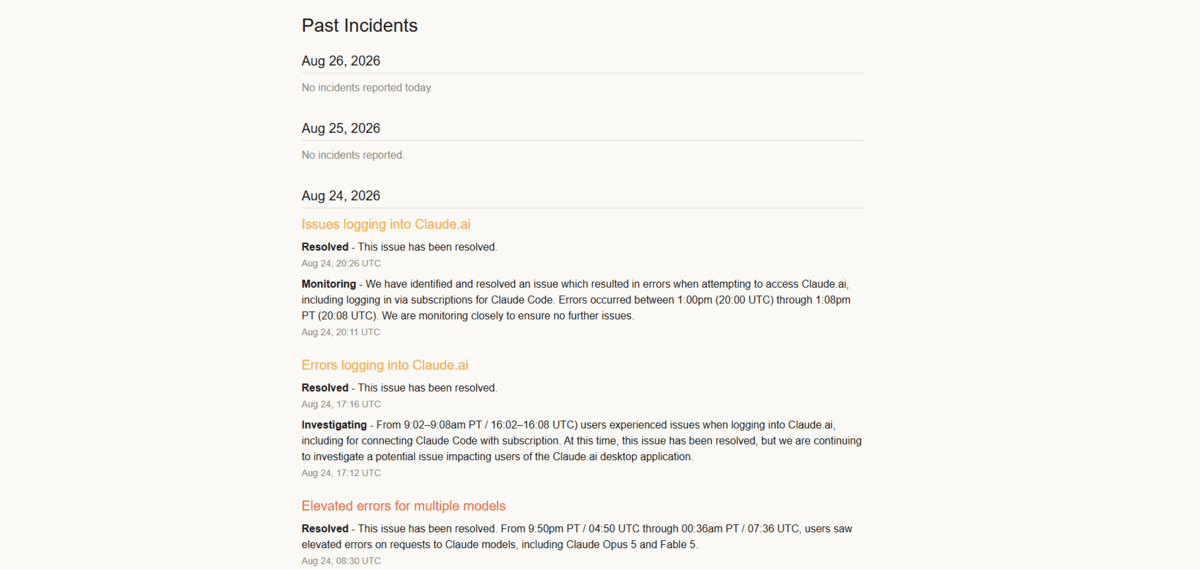
- Open Claude’s official status page. It tracks claude.ai, the Claude API, Claude Code, and Claude Cowork separately, which matters, because one can be broken while the others run fine. A red or amber banner ends your investigation immediately. The incident history on that page is also the honest record of how often Claude goes down, and 2026 has been a busy year for it.
- Cross-check a user-report tracker. Downdetector aggregates live user reports and often spikes ten to twenty minutes before an official status page updates. Anthropic has to confirm an incident before posting it. Users complain instantly.
- Try Claude on a different network. Switch your phone off wifi and onto mobile data, then open Claude there. If it works on mobile data but not on your home connection, the outage isn’t real and you’ve found your culprit.
- Try a different browser, or an incognito window. If Claude loads fine in incognito, an extension or a stale cookie is behind Claude not working, not Anthropic.
Here’s the case people misread. If the status page is green but Downdetector is spiking, you’re probably in a partial or regional outage that hasn’t been formally declared yet. Treat it as an outage and wait. If both are quiet and Claude fails on every device and network you own, the problem is almost certainly your account rather than the service.
What Claude’s Error Codes Actually Mean
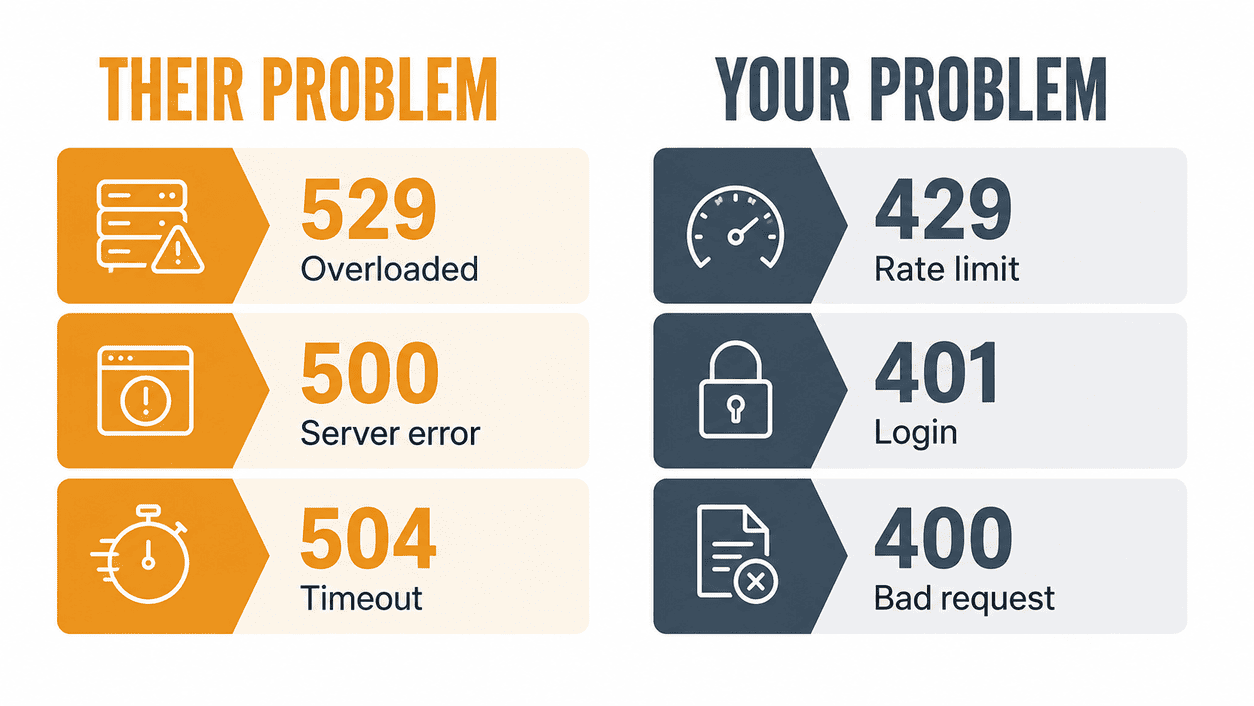
Each error code tells you directly whether Claude not working is a server problem or a you problem. A 529 and a 500 are Anthropic’s side. A 429, 401, or 400 are yours. That single split decides everything you do next, and it’s the fastest diagnostic available to you.
This is the part almost nobody writes for ordinary users, because the official reference is aimed at developers. But the codes are identical whether you’re building on the API or just using the chat. These names come straight from Anthropic’s published error documentation.
| Code | Official name | What it means for you | Whose problem |
|---|---|---|---|
| 529 | overloaded_error |
Anthropic’s servers are temporarily overloaded. Too much traffic across all users at once. | Theirs |
| 500 | api_error |
Something broke inside Anthropic’s systems unexpectedly. | Theirs |
| 504 | timeout_error |
The request took too long to process and gave up. Common on very long asks. | Mostly theirs |
| 429 | rate_limit_error |
You’ve hit a rate limit or a spend cap. Not an outage. | Yours |
| 401 | authentication_error |
Your credentials or session are bad. Log out and back in. | Yours |
| 400 | invalid_request_error |
Something about the request itself was rejected. | Yours |
The pair worth memorising is 529 versus 429, because they look nearly identical on screen and mean opposite things. A Claude error 529 is the whole service struggling, so you wait. A 429 is you specifically hitting a ceiling, so waiting for the service to recover does nothing, because the service was never broken.
There’s a subtlety in the documentation worth knowing too. Anthropic notes that a sharp spike in your own usage can produce a 429 from acceleration limits even when you’re nowhere near your normal cap. If you suddenly hammered Claude much harder than usual and got rate-limited, easing off and ramping back up gradually genuinely helps.
If Claude Is Genuinely Down, Do This
You can’t fix capacity from your end, so the goal shifts to losing as little work as possible. Two moves matter during a Claude outage, and neither is the one most people reach for.
Fix 1: Wait, but wait properly. Don’t sit there hammering the retry button. Repeated instant retries during a 529 add to the load that caused the problem in the first place. Give it two or three minutes between attempts. Overload events usually clear in minutes rather than hours, and Anthropic’s own SDKs handle this by backing off progressively instead of retrying immediately, which tells you what actually works.
Fix 2: Move to a different surface or model. Claude not working in one place doesn’t mean it’s down everywhere, because outages are frequently partial. If claude.ai is struggling, the desktop app, the mobile app, or Claude Code may still be running, which is exactly why the status page tracks them separately. Switching models in the picker sometimes clears it too, since capacity problems don’t always hit every model at once.
While you wait, copy your unsent prompt somewhere safe. The most common real loss during Claude not working isn’t time, it’s a long carefully written prompt that vanished when the page failed. I lost one that way early on and now I draft anything substantial outside the chat window.
Claude Not Working on Only One Device? Work Down the Stack
When the status page is green and Claude runs fine elsewhere, the fault is local and these four fixes find it. They’re ordered cheapest and most likely first.
Fix 3: Change your network. Swap wifi for mobile data, or turn off your VPN. VPNs are an underrated cause of Claude not working, because an exit node in a heavily used region can get throttled or blocked in ways that look exactly like the service being broken.
Fix 4: Rule out your browser. Hard refresh first (Ctrl+Shift+R, or Cmd+Shift+R on a Mac). If that fails, open Claude in an incognito window, which disables extensions by default. Ad blockers and privacy extensions break streaming responses often enough to be worth checking before anything more drastic. If incognito works, re-enable your extensions one at a time to find the offender.
Fix 5: Refresh your session. Log out fully, then log back in. Sessions expire and occasionally get into a bad state, which produces login loops, blank screens, and a 401 if you ever see a raw code. This is the fix whenever Claude won’t load past the sign-in screen.
Fix 6: Update the app. If you’re on desktop or mobile rather than in a browser, an outdated client can break after a server-side change. Check your app store. This is the one fix that only applies to app users and the one most people skip.
If all four fail and Claude still won’t run on any device or network you own, it’s an account-level issue that only Anthropic support can see. Contact them and include the exact error text plus roughly when it started.
The Usage Limit That Looks Exactly Like an Outage
A usage limit is the single most misdiagnosed cause of Claude not working, and it’s the one case where every fix above wastes your time. If Claude stops mid-conversation, goes quiet with no error, or asks you to start a new chat, you’ve almost certainly hit a usage or length limit rather than an outage. These are two different ceilings and they behave differently.
Fix 7: Start a fresh chat. A length limit means this specific conversation has outgrown the model’s context window. The service is perfectly healthy, so nothing you clear or reinstall will help, because the conversation itself is the problem. Open a new chat and paste in only the context you still need.
Fix 8: Check when your usage window resets. A usage limit is a budget across a time window, not a broken service, and it resets on a schedule. If you hit it repeatedly on the same plan, treat that as a signal to change how you work rather than as a bug. Long sprawling chats burn a budget considerably faster than several short focused ones. If you keep landing on that wall, our breakdown of Claude usage limits across Free, Pro and Max explains what each plan actually gives you.
The tell that separates a limit from a real outage is simple. An outage produces an error. A limit usually doesn’t. If Claude went quiet politely, it’s a limit. If Claude threw a code at you, it’s a service problem. And if Claude answered but declined part of your request, that’s neither, which is worth understanding because Claude and ChatGPT handle refusals differently.
Claude Code and API Users Have a Different Problem
Claude not working through Claude Code or the API gets the same diagnosis but a different remedy, because you can automate this one. Retrying blindly is the mistake most people make.
A 529 during a sustained capacity event keeps returning 529 for as long as you keep asking the same way. What works is exponential backoff for the first stretch, then failing over to a different Claude model rather than continuing to wait on the overloaded one. Anthropic’s official SDKs already retry transient failures with backoff by default, honouring the retry-after header when the response includes one, so if you hand-rolled your own retry loop you may be doing worse than the library would have.
One trap is specific to rate limits. A 429 caused by hitting a tier spend cap arrives with no retry-after header and keeps failing until access resumes. If your backoff logic keys off that header, it will spin forever on an error that backoff cannot solve. Treat a header-less 429 as a billing problem, not a timing problem.
How to Find Out Before It Wastes Your Morning
The best version of this guide is not needing it, and the status page supports subscriptions for exactly that. You can be notified by email, SMS, Slack, or webhook the moment an incident is posted, which turns a confusing twenty minutes of debugging into a notification you already read over coffee.
Two habits turn Claude not working from a crisis into an inconvenience. Draft anything long somewhere else and paste it in, so a failed request never costs you the writing. And keep one alternative assistant set up and logged in, because the fastest recovery from Claude not working is not troubleshooting it, it’s having somewhere else to go for twenty minutes. If your backup is ChatGPT and it starts misbehaving too, the equivalent guide is ChatGPT not responding.
What I Do Now When Claude Dies Mid-Task
The routine that saves me the most time is boring: read the code, check the status page, try mobile data, and only then start changing things. Three of those four take seconds, and between them they explain almost every case of Claude not working I run into.
What changed for me was giving up on the idea that every failure is fixable. Some genuinely aren’t, and recognising a 529 in five seconds then walking away for three minutes beats forty minutes of clearing caches that were never the problem. If Claude is declining specific requests rather than failing outright, that’s a different mechanism entirely, and it’s worth knowing why Claude refuses questions and why AI chatbots refuse in general so you can tell the two apart on sight.